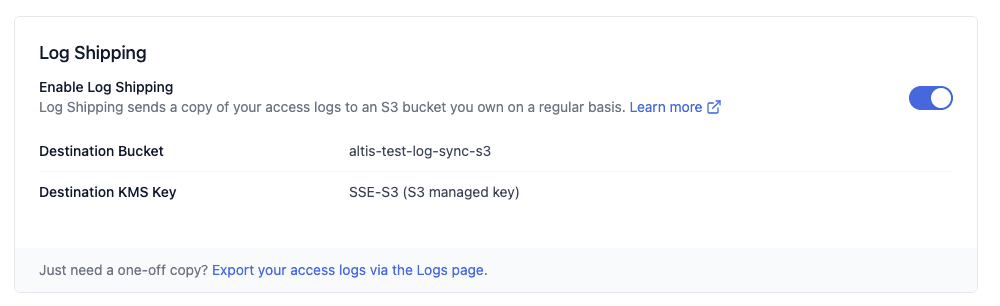
Log Shipping lets customers automatically ship a copy of their access logs to an S3 bucket they own. Small feature, but it touched every layer of the stack. I had a chance to work on every part of it.
Spike: picking the right approach
Before writing any code, we do a spike to research and decide the best approach. For Log Shipping, two options came up:
- Option 1: A Lambda function that polls and copies S3 objects on a schedule every minute.
- Option 2: S3 Event Notifications that trigger a Lambda when new objects are added.
Option 2 was the right call. No polling means fewer API calls, better scaling, and a cleaner architecture. The cost difference was negligible.
Infrastructure
The bulk of the work. Log Shipping is primarily an infrastructure feature. S3 event notifications, Lambda, IAM permissions, and the wiring between them. It was implemented as a Terraform module so it can be enabled or disabled per customer environment without touching the core stack.
Backend API
Once the infrastructure was in place, the feature needed to be surfaced through the API. The backend integrates with AWS and reads from Terraform state to get the configuration details of an environment. Whether log shipping is enabled, the destination bucket, and the encryption key in use.
Frontend (React)
The API data gets displayed in the customer-facing dashboard. This is what the customer actually sees and interacts with. My background in web development came in useful here.
Documentation
The feature shipped with updated customer-facing documentation describing what Log Shipping does and how to enable it. Documentation is part of shipping, not an afterthought.
Rollout
After merging, the rollout followed a set sequence. Infrastructure release, backend deploy, frontend deploy, then a change request to enable the feature in a specific customer environment. The last step involved coordinating with the customer directly to confirm their destination bucket and encryption preferences.