Setting up Traefik as a Reverse Proxy in Proxmox
I wanted one place to receive requests for my homelab services and send each request to the right machine. Traefik now does that job in an LXC on Proxmox. It replaced Nginx Proxy Manager in my setup.
This is the setup that worked for me: install Traefik with the Proxmox community script, keep the main settings in one file, and add a small file for each service. I’ll use nvr.example.com pointing to an NVR at 192.168.0.155:5000 as the example. Replace those with your own domain and service address.
Before you start
For the Let’s Encrypt method in this guide, you need:
- A domain you control, with a DNS record for the hostname pointing to your public IP.
- Ports 80 and 443 forwarded from your router to the Traefik LXC’s IP address.
- A service that Traefik can reach from the LXC, such as
http://192.168.0.155:5000.
Let’s Encrypt must be able to reach Traefik on port 80 for the HTTP-01 challenge. If that isn’t possible in your network, use a different challenge method; the configuration below won’t issue a certificate on its own.
1. Install Traefik in an LXC
Run the command shown on the Traefik community script page in the Proxmox host shell, not inside an existing container:
var_os='debian' bash -c "$(curl -fsSL https://raw.githubusercontent.com/community-scripts/ProxmoxVE/main/ct/traefik.sh)"
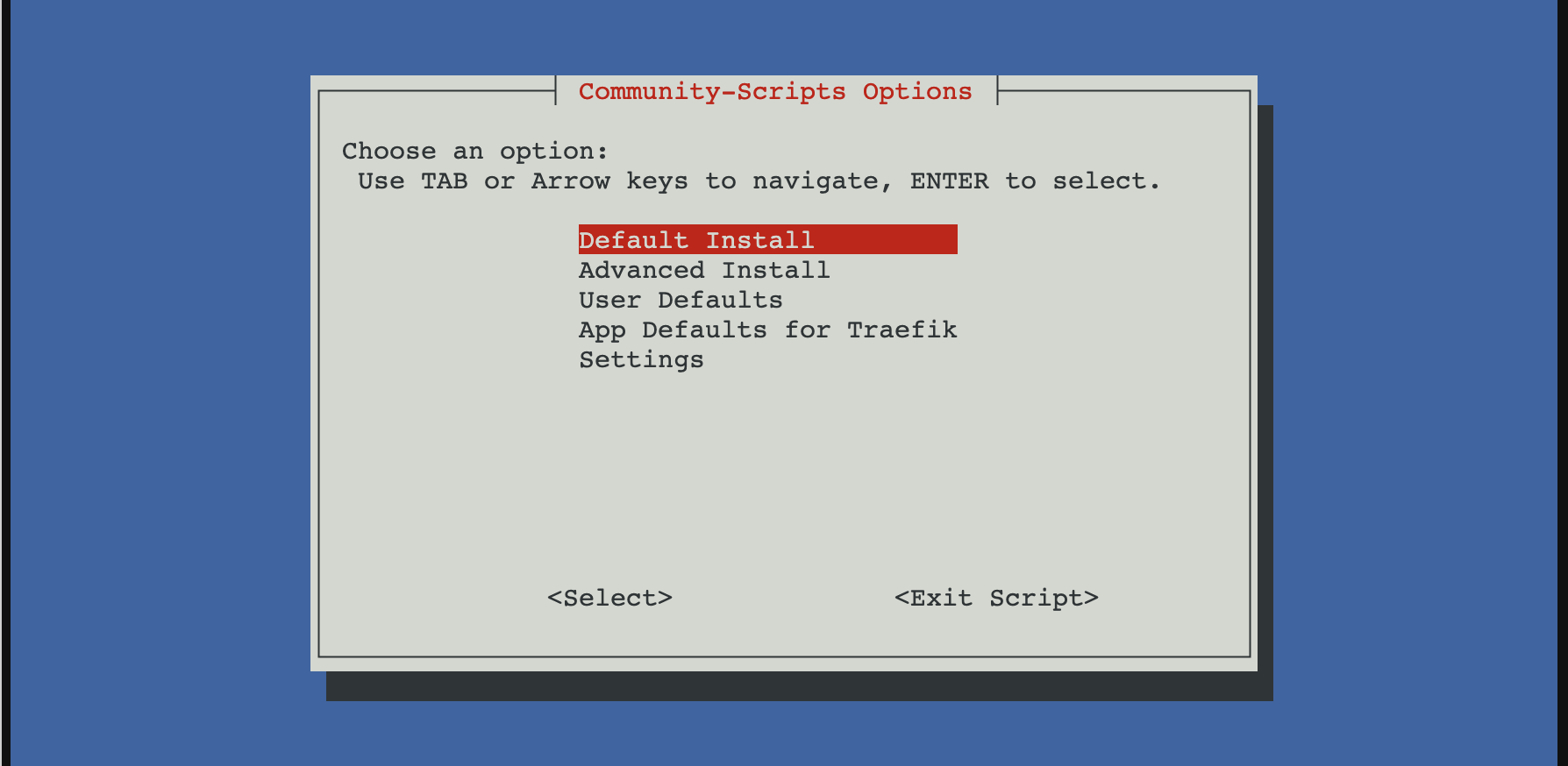
The script creates the LXC and installs Traefik. Note the LXC’s IP address. Inside the container, the main configuration file is /etc/traefik/traefik.yaml, and Traefik runs as a systemd service.
2. Set up Traefik’s main configuration
Traefik has two kinds of configuration. The static configuration tells it which ports to listen on, where to load route files, and how to request certificates. The dynamic configuration describes which hostname goes to which service.
Merge these settings into /etc/traefik/traefik.yaml inside the LXC. Keep any settings from the install script that you still need, and replace the example email address:
entryPoints:
  web:
    address: ":80"
  websecure:
    address: ":443"

providers:
  file:
    directory: /etc/traefik/conf.d/
    watch: true

certificatesResolvers:
  letsencrypt:
    acme:
      email: "[email protected]"
      storage: /etc/traefik/ssl/acme.json
      httpChallenge:
        entryPoint: web
Create /etc/traefik/conf.d/ and /etc/traefik/ssl/ if they don’t exist. Make sure Traefik can write to the ACME storage path. The path in the configuration has to match the file Traefik uses; I once had a typo there and spent time looking for a certificate in the wrong place.
The web entry point receives HTTP traffic on port 80. The websecure entry point receives HTTPS traffic on port 443. Traefik watches conf.d so route changes can be loaded from separate files.
3. Add a route for one service
Create /etc/traefik/conf.d/nvr.yaml:
http:
  routers:
    nvr:
      rule: "Host(`nvr.example.com`)"
      entryPoints:
        - websecure
      service: nvr
      tls:
        certResolver: letsencrypt

  services:
    nvr:
      loadBalancer:
        servers:
          - url: "http://192.168.0.155:5000"
The router matches requests for nvr.example.com on HTTPS. The service is where Traefik sends them. certResolver: letsencrypt tells Traefik to request and manage a certificate for the hostname in the router rule. Defining the resolver in the main file isn’t enough; a TLS router must use it.
Repeat this pattern in another file for each service, changing the router name, hostname, service name, and backend URL.
4. Restart and test
Restart Traefik after changing its main configuration:
systemctl restart traefik
systemctl status traefik
Then visit https://nvr.example.com from outside your network. The request should reach your router, pass to the Traefik LXC, match the nvr router, and reach the NVR. Traefik requests the certificate when it needs one for the matching TLS router; an empty acme.json immediately after startup doesn’t by itself mean the setup is broken.
If the page doesn’t load, follow the request in that same order:
- Does the hostname resolve to your public IP?
- Do ports 80 and 443 reach the Traefik LXC?
- Can the LXC reach the backend URL directly?
- Did Traefik load the route file, and does its
Hostrule match the hostname you visited?
Read the service logs while testing:
journalctl -u traefik -f
I temporarily set log.level: DEBUG in the main configuration when I needed more detail. One useful error was HTTP challenge is not enabled, which pointed back to the missing httpChallenge setting. Remove the extra logging once you’ve found the problem.
Optional: redirect HTTP to HTTPS
I left redirects out while getting certificate issuance working so there was one less setting to debug. If you want HTTP requests to redirect to HTTPS, Traefik supports an entry point redirect:
entryPoints:
  web:
    address: ":80"
    http:
      redirections:
        entryPoint:
          to: websecure
          scheme: https
  websecure:
    address: ":443"
Merge that into your existing entryPoints section rather than adding a second one. I previously thought this kind of redirect broke HTTP-01. Traefik’s ACME documentation says the redirect is compatible with the challenge. The real requirements are that port 80 reaches Traefik and that the resolver has httpChallenge.entryPoint set to web.
For more detail on route files, see Traefik’s file provider documentation.