FauxPilot: Self-hosted GitHub Copilot
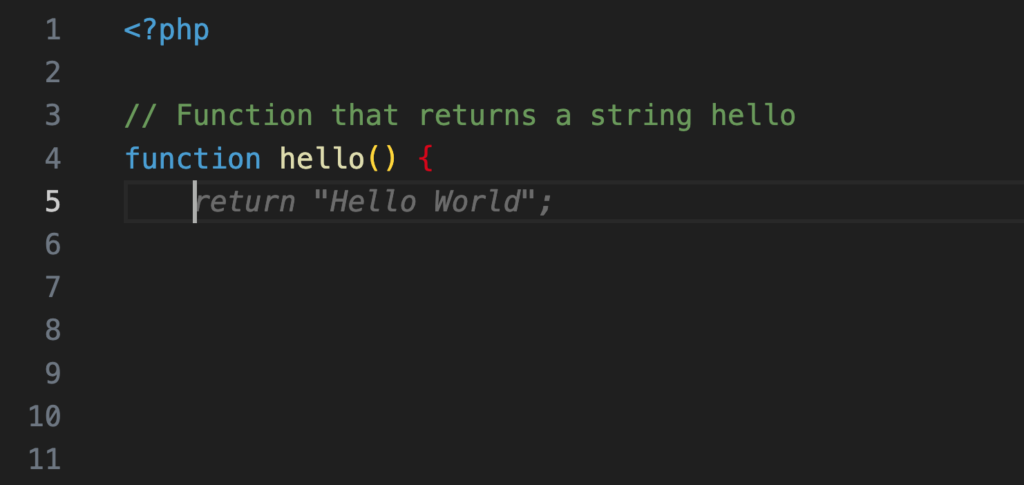
I’ve been trialing GitHub Copilot for a couple of weeks now. I can say that it’s well worth it especially when writing code from a blank slate. It outputs code blocks that help my brain process more quickly.
Its output rarely works as-is, but it only needs minimal tweaking.
It’s another subscription though, and I try to limit my monthly expenses to a minimum. It’s a nice-to-have, but not a necessary-to-have with the amount of coding I do at the moment.
When I was migrating my old server, I saw in the Vultr Marketplace FauxPilot. It turned out it’s an open-source alternative to GitHub Copilot server using Salesforce CodeGen.
I just had to try it.
Requirements

The only physical requirement is an Nvidia GPU with CUDA support (I have a Tesla P4 ✅).
The rest are just software to install:
- Docker
- Nvidia Container Toolkit (Install Guide)
curlandzstd
Server Installation
I use Ubuntu 20.04 as my base OS. From a fresh install, here’s what I needed to do to run FauxPilot.
- Install Docker
curl https://get.docker.com | sh \
  && sudo systemctl --now enable docker
- Install Nvidia Container Toolkit
distribution=$(. /etc/os-release;echo $ID$VERSION_ID) \
  && curl -fsSL https://nvidia.github.io/libnvidia-container/gpgkey \
  | sudo gpg --dearmor -o /usr/share/keyrings/nvidia-container-toolkit-keyring.gpg \
  && curl -s -L https://nvidia.github.io/libnvidia-container/$distribution/libnvidia-container.list \
  | sed 's#deb https://#deb [signed-by=/usr/share/keyrings/nvidia-container-toolkit-keyring.gpg] https://#g' \
  | sudo tee /etc/apt/sources.list.d/nvidia-container-toolkit.list

sudo apt-get update
sudo apt-get install -y nvidia-container-toolkit
sudo nvidia-ctk runtime configure --runtime=docker
sudo systemctl restart docker
- Install Nvidia CUDA drivers
wget https://developer.download.nvidia.com/compute/cuda/repos/ubuntu2004/x86_64/cuda-keyring_1.1-1_all.deb
sudo dpkg -i cuda-keyring_1.1-1_all.deb
sudo apt-get update
sudo apt-get -y install --no-install-recommends cuda
sudo apt-get -y install nvidia-driver-535
Make sure the drivers are properly installed by running nvidia-smi.

- Clone FauxPilot repo
git clone https://github.com/fauxpilot/fauxpilot.git
cd fauxpilot
- Run FauxPilot setup
sudo bash ./setup.sh
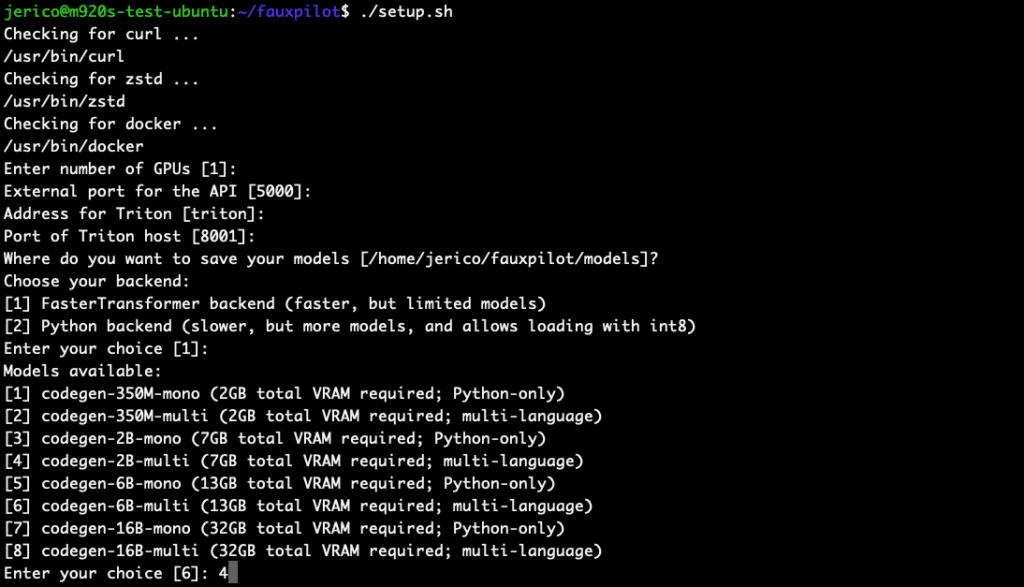
I chose codegen-2B-multi because my GPU only has 8GB VRAM, and I’m coding in
PHP. Higher parameter models require more VRAM and RAM.
- Launch FauxPilot
sudo bash ./launch.sh
Demo video: /media/homelab/2023/08/Screen-Recording-2023-08-24-at-22.00.05.mov
Test if the server is working:
curl -s -H "Accept: application/json" \
  -H "Content-type: application/json" \
  -X POST \
  -d '{"prompt":"def hello","max_tokens":100,"temperature":0.1,"stop":["\n\n"]}' \
  http://localhost:5000/v1/engines/codegen/completions | jq
Response should be:
{
  "id": "cmpl-OCButmOAbNedOMOxjPc0v9skuLdk7",
  "model": "codegen",
  "object": "text_completion",
  "created": 1692885668,
  "choices": [
    {
      "text": "(self):\n return \"Hello World!\"",
      "index": 0,
      "finish_reason": "stop",
      "logprobs": null
    }
  ],
  "usage": {
    "completion_tokens": 11,
    "prompt_tokens": 2,
    "total_tokens": 13
  }
}
Client Setup
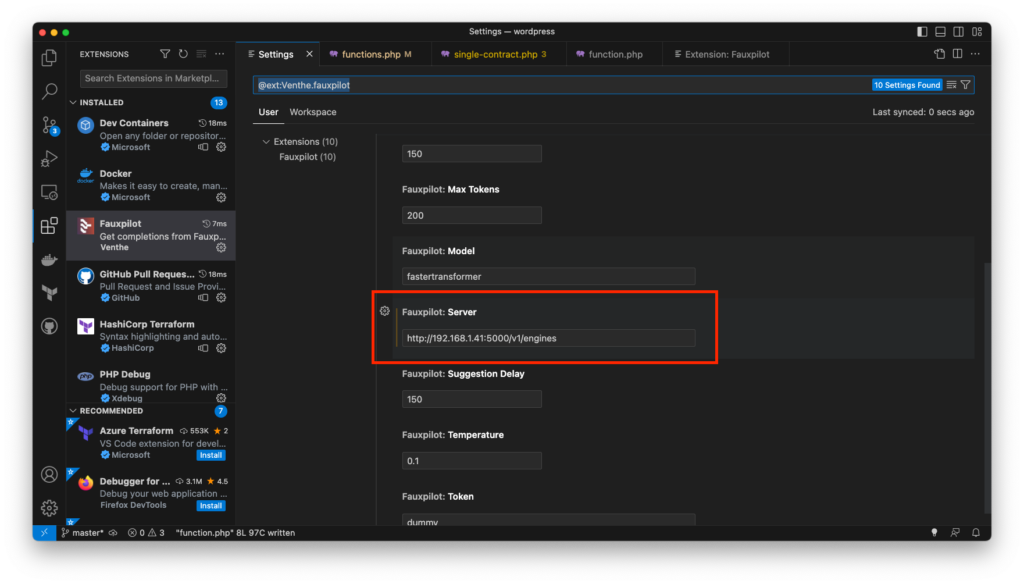
Now that I have a working server, I need to setup my client. There’s a VSCode extension called FauxPilot. The only configuration change needed is pointing to the server address. After that, it works right away.
Demo video:
The suggestions quality is very far from GitHub Copilot. But at least it works!
There are a lot of factors why it’s underperforming. Maybe it’s the model itself, or the size of the model I chose, limited context, difference in training data.
Regardless of the quality, it’s exciting that it can be ran locally with old techs.