QR Check-in Auto-Printer for WordCamp PH
A couple of weeks before WordCamp Philippines, Arvin John and Jhim came over to my office to co-work, flash a laptop BIOS (to remove password), and see me rehearse my upcoming talk (didn’t happen).
At some point, Jhim mentioned in passing that he wanted to try automatically printing attendee badges during QR check-in.
I happened to have a similar project for an inventory system. I knew immediately that it was possible, and I was pretty sure we could pull it off.
It got me so excited that right then and there, based on my existing project and code, I made him a proof-of-concept using a smaller printer that I have available around.
The idea was: I would expose an HTTP endpoint, and his QR check-in code would send the attendee details as GET parameters. My side would take care of the actual printing.
We had to do it this way because
- It’s simple, it will be just a link in his QR check-in code with pre-filled GET parameters
- No printer drivers to mess around with
- We knew we probably would not be able to test everything together in person.
For remote testing, I exposed the printer endpoint at printernijhim.aragon.ph. Jhim could trigger a print from wherever he was, and a sticker would come out of the printer sitting in my office.
Jhim triggering print at his house.
I have been very fascinated with thermal printers and the cheapness of the sticker papers available. I was even willing to buy the printer and stickers if the organizer don’t have a budget for, just to try it out in “production”. I really need an excuse for practical use before I purchase anything.
Cost
| Item | Price |
|---|---|
| A6 Waybill Printer OC-9260 | ₱2,399 |
| 80x50cm Thermal Label Stickers, 1000 pcs | ₱169 |
| Sticker Holder | ₱146 |
| Fujitsu Lifebook Q509 (tablet, printer server) | ₱2,199 |
The organizers also bought another set of printer and stickers, which is ideal in case one printer malfunctions.
The tablet doesn’t really count toward this project. I bought it a couple of months back for another purpose, on a Shopee sale. I just happened to have it lying around.
Getting it event-ready
The only thing I asked Jhim to add to his check-in system was a configurable printer URL. That way, we could change where print requests were sent without changing actual code during the event.
On my side, I used a tablet with a USB-A port connected directly to the printer.
It runs Ubuntu, CUPS, and a small web server.
I configured it so that when the tablet boots, it automatically:
- logs in
- starts the print server
- opens Firefox in kiosk mode
- waits for HTTP GET requests
The goal was for the whole thing to be basically plug and play on event day.
On the first day, I stayed around the registration area to make sure everything was working on the printer side.
On the second day, I did not have the head space to check because it’s the day I will present. It still worked.
Pulled it off for 400+ attendees
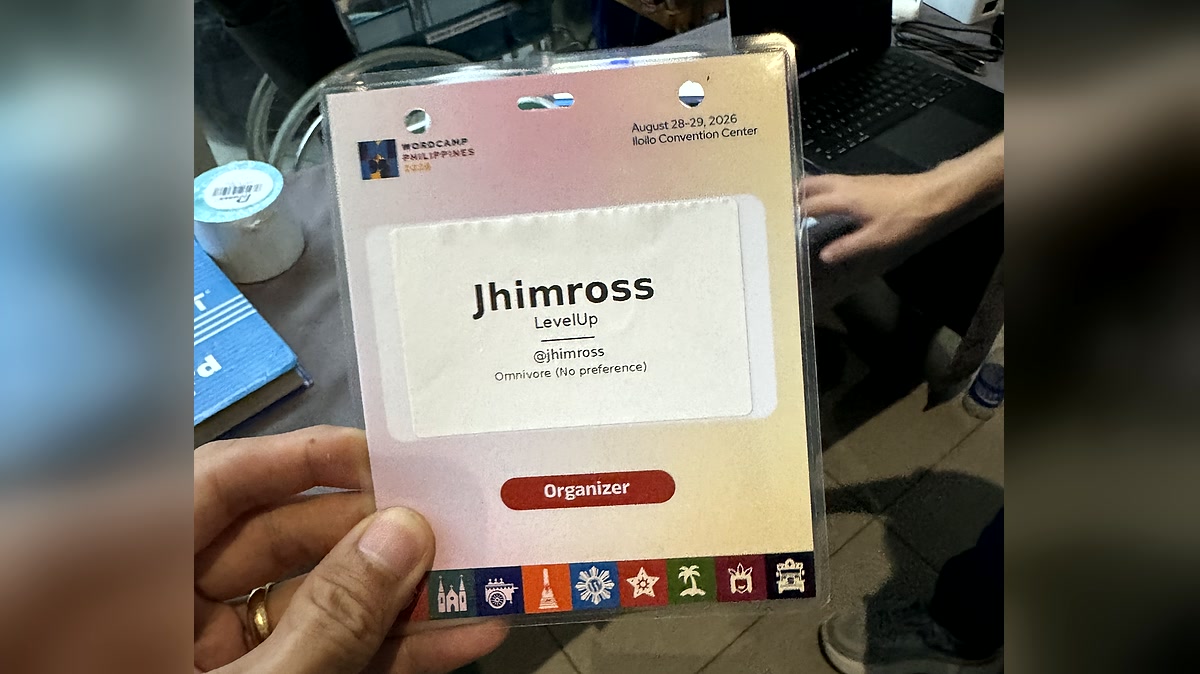
Did I mention that I’m sure it will work? It did! It was nice seeing badges around with printed tags.
Scan, check-in, badge prints. Live at registration. Video provided by Jhim.
There were a couple of things we can improve, though that’s for version 2.
Version 2
For version 2, I think the tablet itself could be the QR code scanner. It has a webcam, and it can be configured to be always-on.
We could build a small local backend where CampTix attendee data is uploaded before the event. At that point, ticket sales are mostly done anyway.
The flow could then be:
- QR scan
- Check-in attendee, record locally
- Print badge
Everything entirely on the tablet. The biggest advantage is that registration would have no internet dependency at all. We could also deploy multiple tablets independent of each other (horizontal scaling!).
After the event, we could sync the check-in data back to CampTix.
For the next event!
-
The QR check-in and automatic printing idea was Jhim’s, I was just a big enabler. I just enjoy these kind of projects.
Jhim wrote up the check-in system from his side: Building a QR Check-in System for WordCamp Philippines.